Home › Image Resizer to KB › Compress Image to 20KB
Compress Image to 20KB
The classic small-form limit: ID photos and signatures at 20KB or less.
Advanced (optional): exact pixels or minimum KB
Many forms ask for pixels as well as KB. Leave empty if yours does not. Examples are common sizes only – always use the size your form states.
✅ Done! Your images are ready
Why 20KB is so common
20KB is a long-standing cap on registration and application forms, because it keeps thousands of uploads cheap to store. It is comfortable for a signature and acceptable for a small passport-style face photo. For a general photo it is tight: expect a small picture rather than a sharp one.
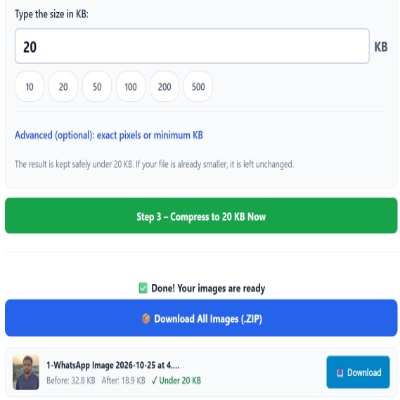
Photo or signature?
- Photo: crop to head and shoulders, keep the background plain, and let the tool choose the quality.
- Signature: use the signature page, which presets a wide, short shape.
Check these on your own form
- Whether the limit is “up to 20KB” or a range such as 10–20KB.
- Whether pixel dimensions are also required.
- Which file types are accepted. The result here is always a JPG.
Frequent mistakes
- Renaming a large file to .jpg does not shrink it. The size must actually come down.
- Using a picture of a printed photo. Glare and paper grain make the file harder to compress.
Questions about: Compress Image to 20KB
What dimensions is a 20KB photo?
It depends on the picture, but about 200 × 250 pixels is typical for a face on a plain background. Detailed backgrounds force smaller dimensions.
My result is 18KB. Is that okay?
Yes. Compress mode aims for the best quality that stays under your limit, so a little below is normal. For a minimum, set the Minimum KB box.
Can I use this for a signature and a photo in one go?
Select both, but note they get the same limit and the same pixel settings. Run them separately if the form asks for different values.
About the Compress Image to 20KB tool
This page shrinks a photo or scan to 20KB or less. You type the limit, and the tool saves a JPG at the highest quality that still fits, lowering the pixel size only when quality alone cannot get there.
How to use the Compress Image to 20KB tool
- Tap “Select Images” and choose your JPG, PNG, WebP or HEIC file.
- The size box is already set to 20. Change it only if your form states a different limit.
- If your form also lists pixels, for example 200 × 230, open Advanced and enter the width and height first.
- Press the green button, check the Before and After sizes, then download the file (or the ZIP if you added several).
More questions about Compress Image to 20KB
Which file types can I upload for a 20KB limit?
JPG, PNG, WebP and iPhone HEIC files are accepted. The result is always a JPG, so confirm your form allows JPG.
Should I compress the original or a copy I already shrank?
Use the original. Repeated compression adds blockiness, and at 20KB a clean starting file makes a visible difference.
Related sizes and tools
Need the opposite? Try Increase image size to 20KB.
Every ready-made size is listed on the Image Resizer to KB page. Prefer a percentage instead of a KB size? Use the quality-based image compressor, or read our image guides.