Home › Image Resizer to KB › Compress Image to 50KB
Compress Image to 50KB
The most common photo limit on forms. Set up for 50KB; one button.
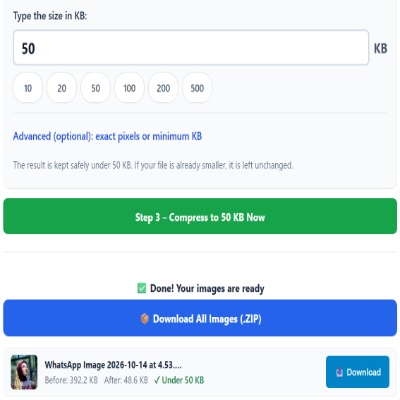
Advanced (optional): exact pixels or minimum KB
Many forms ask for pixels as well as KB. Leave empty if yours does not. Examples are common sizes only – always use the size your form states.
✅ Done! Your images are ready
Why 50KB turns up everywhere
50KB is the number most application portals settle on for photos: big enough for a clear face, small enough for cheap storage. A portrait at this size is usually about 350 × 450 pixels. That is the upload-box size, not a print size.
Prepare, then compress
- Crop to head and shoulders. Empty sky or wall takes space without helping.
- Use even light on the face. Harsh side light creates patchy areas that compress badly.
- Keep the original; compress from it each time rather than from a copy.
Common reasons a 50KB upload still fails
- The portal wants exact pixels too. Open Advanced options and enter them.
- The portal wants a minimum size (for example 20–50KB). Set Minimum KB.
- The file was edited in a chat app after compression and grew.
For passport-style framing see the passport photo page; for a signature use the signature tool.
Questions about: Compress Image to 50KB
How do I reduce a photo to 50KB without losing quality?
Start with a sharp original, crop the background away and let the tool lower quality first. Pixel size is reduced only when that is not enough.
Do I type 50KB or just 50?
Only the number. The box is already in KB.
Can I get a file of at least 50KB instead of under?
Use Increase mode (or the 50KB increase page) to pad the file to exactly 50KB.
Is the photo uploaded to your server?
No. The browser processes it on your device and offers the result for download.
About the Compress Image to 50KB tool
This page shrinks a photo, scan or signature to 50KB or less, a very common cap on exam, job and ID forms. The tool saves a JPG at the highest quality that fits and reduces the pixel size only if quality alone is not enough.
How to use the Compress Image to 50KB tool
- Tap “Select Images” and choose your JPG, PNG, WebP or HEIC file.
- The size box is already set to 50. Change it only if your form states a different limit.
- Many forms want a face photo cropped to head and shoulders. Crop before you start so the 50KB is spent on the face.
- Press the green button, check the Before and After sizes, then download the file (or the ZIP if you added several).
More questions about Compress Image to 50KB
Which formats can I upload for 50KB?
JPG, PNG, WebP and HEIC files are accepted. The result is a JPG, so make sure the form allows that type.
Why do I get a different size each time I try another photo?
Detailed pictures need more data than plain ones. A busy background uses up the budget, so the tool lowers quality or pixels more for that photo.
Related sizes and tools
Need the opposite? Try Increase image size to 50KB.
Every ready-made size is listed on the Image Resizer to KB page. Prefer a percentage instead of a KB size? Use the quality-based image compressor, or read our image guides.