Home › Image Resizer to KB › Compress Image to 10KB
Compress Image to 10KB
For the tightest limits: small signatures, stamp-size photos and avatars.
Advanced (optional): exact pixels or minimum KB
Many forms ask for pixels as well as KB. Leave empty if yours does not. Examples are common sizes only – always use the size your form states.
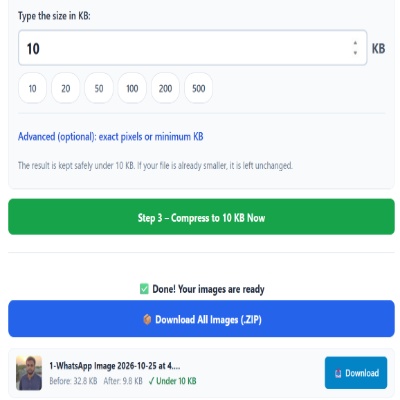
✅ Done! Your images are ready
What 10KB can realistically hold
10KB is about the size of a short email. A JPG that small holds a simple signature or a stamp-size face, not a detailed photo. As a rough guide, a face stays recognisable at about 150 × 200 pixels; a signature on white paper survives at about 140 × 60 pixels. Anything larger has to be shrunk by the tool, and the extra shrinking is what makes the result soft.
Before you press the button
- Crop tightly. Every pixel of empty background costs bytes you cannot spare.
- Photograph signatures in daylight on plain white paper with a dark pen; grey shadows and paper texture eat the budget.
- If the form says “between 5 and 10 KB”, open Advanced options and fill in the minimum KB box so the file does not come out too small.
Mistakes that cause a rejection
- Resizing the already-compressed copy again. Always start from the original.
- Using a coloured or textured background. It compresses badly and looks blotchy at 10KB.
- Forgetting that some portals also require exact pixels. Fill in width and height in Advanced options.
Questions about: Compress Image to 10KB
Is 10KB enough for a readable signature?
Yes, if the signature is dark ink on a plain white background and the image is small, around 140 × 60 pixels. Thin pen lines on grey paper may look broken.
Why does my 10KB photo look blocky?
JPG stores detail in small blocks, and at 10KB there are very few bytes per block. Cropping closer and using a plain background gives the best result you can get at this size.
What if the form allows 10KB but I need it to look better?
Check whether the limit is really 10KB or 100KB. If it truly is 10KB, nothing can add detail back; try a sharper, better-lit original instead.
About the Compress Image to 10KB tool
This page reduces a photo, scan or signature to 10KB or less, one of the smallest limits found on application forms. You type the limit, and the tool saves a JPG at the best quality that still fits, shrinking the pixel size only when quality alone is not enough.
How to use the Compress Image to 10KB tool
- Tap “Select Images” and choose your JPG, PNG, WebP or HEIC file.
- The size box is already set to 10. Change it only if your form states a different limit.
- For a signature, crop away the empty paper first. A tight crop leaves more of the 10KB for the ink itself.
- Press the green button, check the Before and After sizes, then download the file (or the ZIP if you added several).
More questions about Compress Image to 10KB
Which file types can I upload for a 10KB limit?
JPG, PNG, WebP and iPhone HEIC files all work. The result is always saved as a JPG, so check that your form accepts JPG.
Is it better to compress the original or an already small copy?
Start from the original. Compressing a copy that was already squeezed adds visible blocks, and at 10KB there is little room to spare.
Related sizes and tools
Every ready-made size is listed on the Image Resizer to KB page. Prefer a percentage instead of a KB size? Use the quality-based image compressor, or read our image guides.