Home › Image Resizer to KB › Increase Image Size to 50KB
Increase Image Size to 50KB
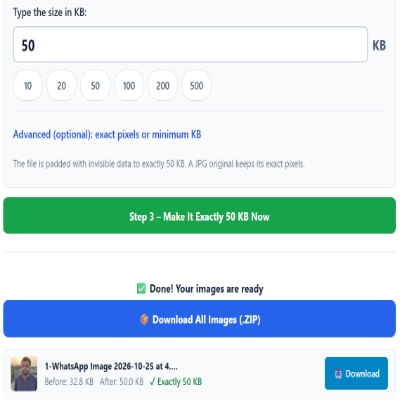
For forms that need at least 50KB: pad to exactly 50KB in one step.
Advanced (optional): exact pixels or minimum KB
Many forms ask for pixels as well as KB. Leave empty if yours does not. Examples are common sizes only – always use the size your form states.
✅ Done! Your images are ready
Reaching a 50KB floor
When a photo upload says it needs at least 50KB, the cause is usually an over-compressed copy. This page pads your JPG to exactly 50 × 1,024 = 51,200 bytes. Because the extra data sits in an invisible part of the file, the picture itself is untouched.
Decision guide
- Your file is under 50KB and the picture looks fine: pad it here.
- Your file is over 50KB: use Compress to 50KB.
- You need 20–50KB: use the resizer with Minimum KB.
What to avoid
- Padding a screenshot of a photo. Retake or re-export instead.
- Renaming a small file to a bigger name. The size is about bytes, not the name.
Questions about: Increase Image Size to 50KB
Why does the portal want a minimum size?
To reject blank images and thumbnails. File size is a crude proxy for a real photo.
Is the 50KB exact?
Yes, to the byte, using 1KB = 1,024 bytes.
Does padding change anything besides the file size?
No. The picture, its pixels and its colours stay the same, and the file remains a valid JPG with extra comment data added. Other rules on the form, such as pixel size or background colour, still have to be met on their own.
About the Increase Image Size to 50KB tool
This page enlarges the file size of a JPG to exactly 50KB. It is meant for forms that set a minimum size. The tool adds invisible padding, so the pixels and the look of your picture stay the same.
How to use the Increase Image Size to 50KB tool
- Tap “Select Images” and choose your JPG, PNG, WebP or HEIC file.
- Make sure Increase (make bigger) is selected and the size box shows 50, or type the size your form states.
- Select Increase (make bigger), then confirm the box shows 50 before you press the button.
- Press the green button, check the Before and After sizes, then download the file (or the ZIP if you added several).
More questions about Increase Image Size to 50KB
Which formats can I upload to reach 50KB?
JPG, PNG, WebP and HEIC files are accepted. Every result is a JPG.
Is 50KB padding the same as scanning at a higher quality?
No. A real higher-quality scan holds more detail. Padding only brings the file up to the size the form requires.
Related sizes and tools
Need the opposite? Try Compress image to 50KB.
Every ready-made size is listed on the Image Resizer to KB page. Prefer a percentage instead of a KB size? Use the quality-based image compressor, or read our image guides.